

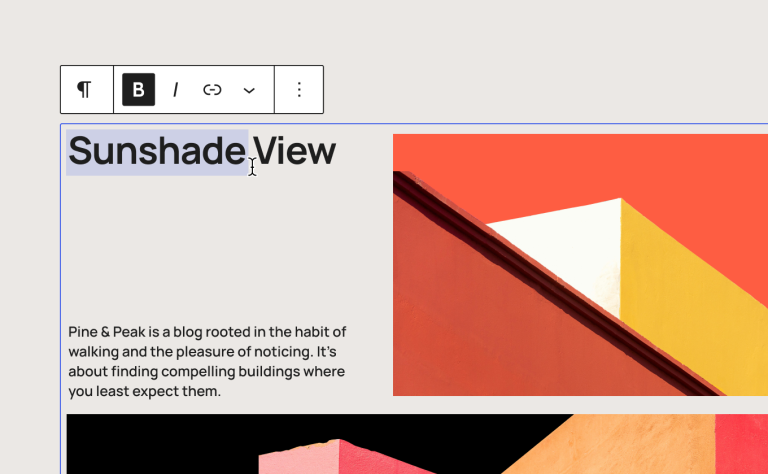
WordPress 7.0 is here, and it is the biggest version jump the platform has seen in years. After a slightly bumpy run-up (the release slipped from its original April date so the core team could get it stable), it brings a genuinely interesting set of changes: a built-in AI layer, a redesigned admin, smarter editing tools, and more.
There is a lot to be excited about. But before you rush to the Updates screen, a word of caution that applies to almost every major release.
A quick word on .0 releases
There is an old rule of thumb in the WordPress world, and we stand by it: be wary of the .0 release.
A “point zero” version is the first public outing of a big new release. It has been tested extensively, but the real world is messier than any test environment. The first few weeks are when the rough edges get found and smoothed off, usually in quick follow-up releases like 7.0.1 and 7.0.2.
This is not a criticism of WordPress. It is simply how major software works. The risk is rarely WordPress core itself. It is the plugins running your checkout, your membership area, your forms, your booking system, and your email automations. Those are built by different teams on different timelines, and not all of them are ready on day one of a major release.
So our honest advice: there is rarely a good reason for your organisation to be the early adopter. Let the dust settle, let the compatibility updates roll in, and update from a position of confidence rather than curiosity.
That said, 7.0 is worth getting excited about

Treading carefully does not mean ignoring it. This release is worth understanding, because some of the new features could genuinely help your organisation work better. Here are the ones we think matter most.
A native AI layer
This is the headline change. Until now, every AI plugin had to build its own connection to services like ChatGPT or Claude, store its own credentials, and work in isolation. WordPress 7.0 introduces a standard, built-in way to connect AI providers from one central screen.
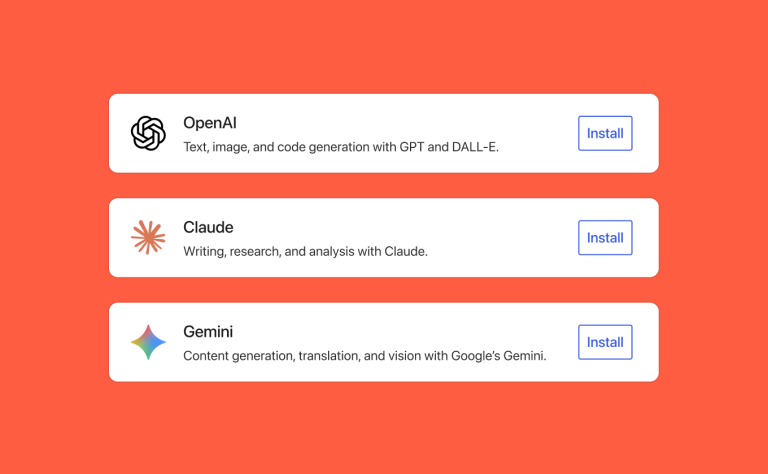
Why it matters for you: if your team already uses AI to help draft content, this makes it far tidier and more secure to manage in one place rather than scattered across half a dozen plugins. For a charity producing regular updates, appeals, or event write-ups, that is a real time-saver. As ever, AI is a helpful drafting assistant, not a replacement for your voice or your judgement, so keep a human in the loop.
Visual revisions
The old revisions screen compared versions of a page in raw code, which was close to useless for non-developers. 7.0 replaces it with a visual, colour-coded view that shows what actually changed, when, and by whom.
Why it matters for you: if someone accidentally deletes a paragraph, removes an image, or reformats a page the wrong way, you can now see exactly what happened and roll it back with confidence. On a busy site where several people edit content, that is genuinely reassuring.
Fewer plugins needed
7.0 brings two common features into WordPress itself: a Breadcrumbs block (the “Home > Blog > This Page” navigation that helps both visitors and search engines) and an Icons block for inserting simple graphics.
Why it matters for you: every plugin you can remove is one less thing to update, one less security risk, and a small speed gain. If you are currently using a plugin just for breadcrumbs or icons, you may be able to drop it.
A cleaner, faster admin
The WordPress dashboard has had its first proper visual refresh since 2013, with cleaner navigation and faster, filterable content lists. There are also under-the-hood performance improvements that simply make pages render a little quicker, with nothing for you to configure.
Why it matters for you: less friction for whoever manages your site day to day, and a small but welcome speed bump for your visitors.
Coming soon: real-time collaboration
The much-talked-about feature, real-time co-editing in the style of Google Docs, was held back from this release to get it right. It is on the way, and when it arrives it could be a real boon for teams who currently draft in one tool and paste into WordPress later.
So, what should you actually do?
Here is the sensible path, and it is the same one we follow for our own clients.
- Do not update your live site today. There is no prize for being first. Wait for the early follow-up releases.
- Take a full backup first. Files and database, not just “my host does backups”. You want a restore point you control.
- Check your key plugins. Anything tied to money or members (ecommerce, forms, membership, booking) should confirm 7.0 compatibility before you go anywhere near it.
- Confirm your PHP version. WordPress 7.0 needs a reasonably modern version of PHP to run well (8.3 is ideal). If your hosting is on something older, sort that first, on staging.
- Test on a staging site. Most good hosts offer a one-click staging copy. Apply the update there and test the things that matter: sign-up, checkout, contact forms, confirmation emails.
- Then, and only then, update the live site. Ideally not last thing on a Friday.
The bottom line
WordPress 7.0 is a strong release with features worth having. The update is absolutely worth doing. It is the timing and the testing that matter. Let the .0 settle, back up, test, and upgrade from a position of confidence.
If you would rather not think about any of this, that is exactly what we are here for. We manage updates like this across dozens of client sites, carefully and on a schedule that suits each one. If you would like us to handle WordPress 7.0 for your organisation, or simply to check whether your site is ready, get in touch.